


Getting Started with Dynopay
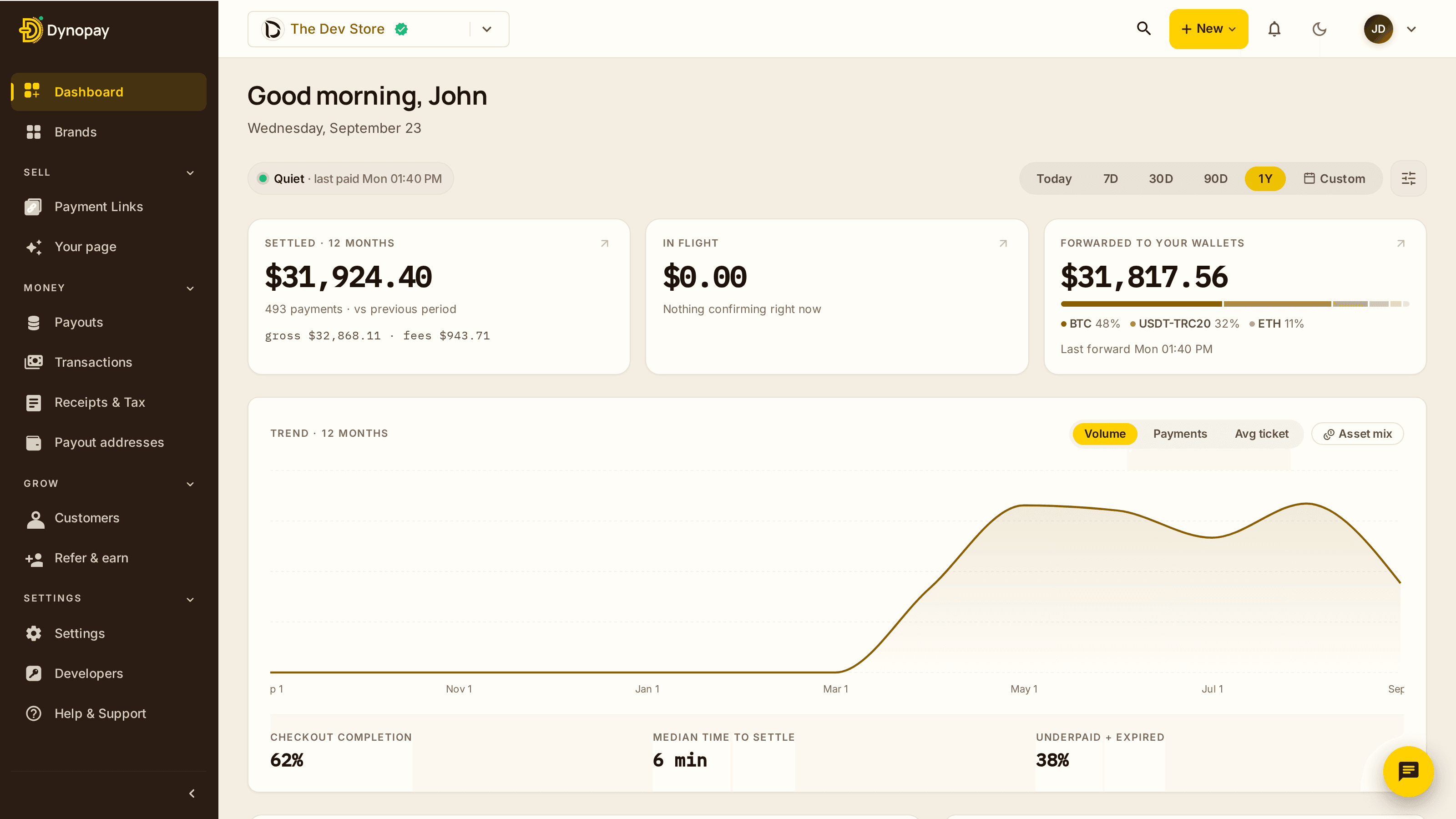
Dynopay helps businesses accept crypto payments without dealing with complex blockchain mechanics. This guide walks you through the basic steps to get up and running.
Step 1. Create Your Dynopay Account
Sign up using your business email and complete the initial account setup. Once registered, you’ll get access to the Dynopay dashboard where all payments, wallets, and settings are managed.
Step 2. Complete Basic Business Setup
Add your brand details, such as brand name and operating country. Depending on your use case and volume, Dynopay may request additional verification later, but you can start testing payments right away.
Step 3. Choose Supported Cryptocurrencies
Select which cryptocurrencies and networks you want to accept. Dynopay supports multiple assets and chains, allowing you to choose options that best fit your customers and transaction fees.
Step 4. Set Up Your First Payment
You can accept payments in several ways:
- Create a payment link
- Generate an invoice
- Use a hosted checkout page
- Integrate Dynopay via API
For most businesses, payment links or invoices are the fastest way to get started.
Step 5. Receive and Track Payments
Once a customer completes a payment, the transaction appears in your dashboard with real-time status updates. You can track confirmations, amounts, and network details in one place.
Step 6. Configure Payouts
Decide where your funds should go:
- Keep funds in your connected crypto wallet
- Set up automatic or manual payouts
Payout availability depends on the selected currency and network.
Step 7. Test Before Going Live
We recommend running a small test transaction to make sure everything works as expected before sharing payment links with customers.
What’s Next
After your first payment is completed, you can:
- Customize checkout experience
- Add team members
- Enable API integrations
- Review fees and settlement options
If you need help at any step, Dynopay support is always available through the dashboard.
Related articles
Supported Cryptocurrencies & Networks
See which cryptocurrencies and blockchain networks Dynopay supports and how to choose the right one.
How Crypto Payments Work for Merchants
A clear explanation of what happens from the moment a customer pays to when funds are settled.
Fees, Rates & Conversion Logic
Understand transaction fees, exchange rates, and how payout amounts are calculated.
Was this article helpful?
Still have questions?
Create your account in minutes, or reach our team any time — we reply fast.